

Team, roles and permissions
Give every colleague a personal account and the permissions their role needs. Warehouse staff move goods without seeing their value.
Free plan with 2 users, 100 products and 1 location. No credit card, no time limit.

Why it matters
Values only for those who need them
Without the dedicated permission, a person sees quantities but no values.
Approvals in the right hands
Approving any order and approving only one's own are separate permissions.
Every action has an author
With personal accounts, every movement shows who recorded it.
How it works
Buyers create orders, and approval stays with whoever you choose. Every movement carries the name of the person who recorded it. With departments you can limit someone to the products, movements and purchase orders of selected departments.
Step 1 of 4
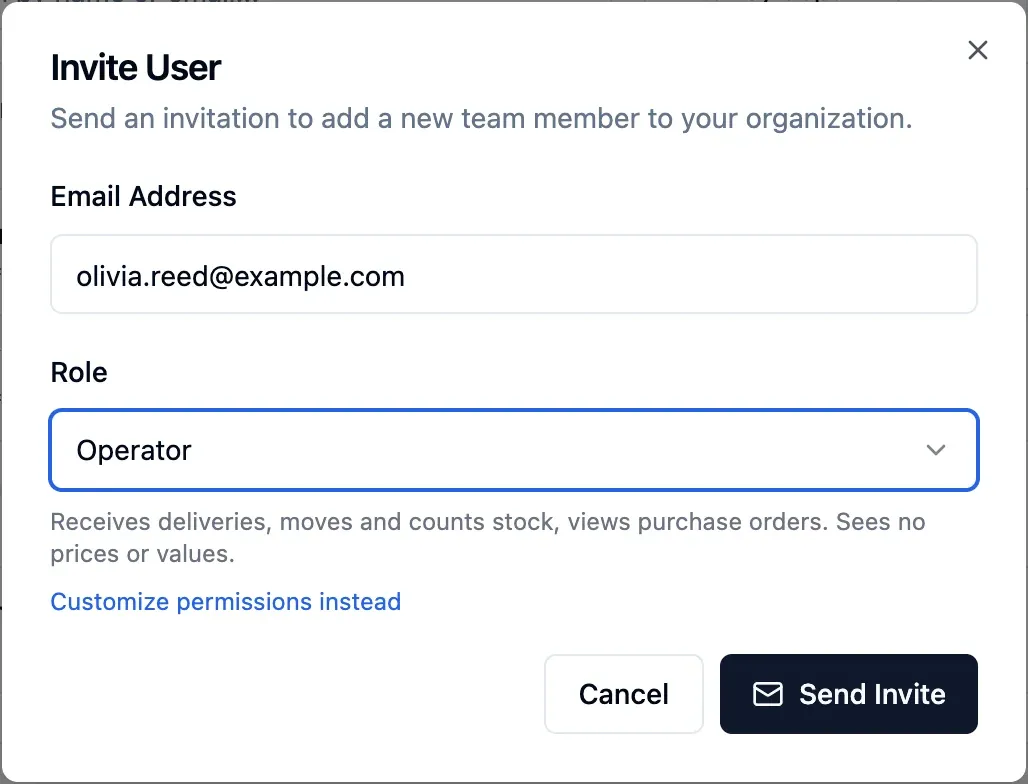
Invite by email
Enter a colleague's email and choose their access. The invitation lasts seven days and can be cancelled.
- Sign in with email and password or Google
- Two-factor authentication
- One account for several organisations
Step 2 of 4
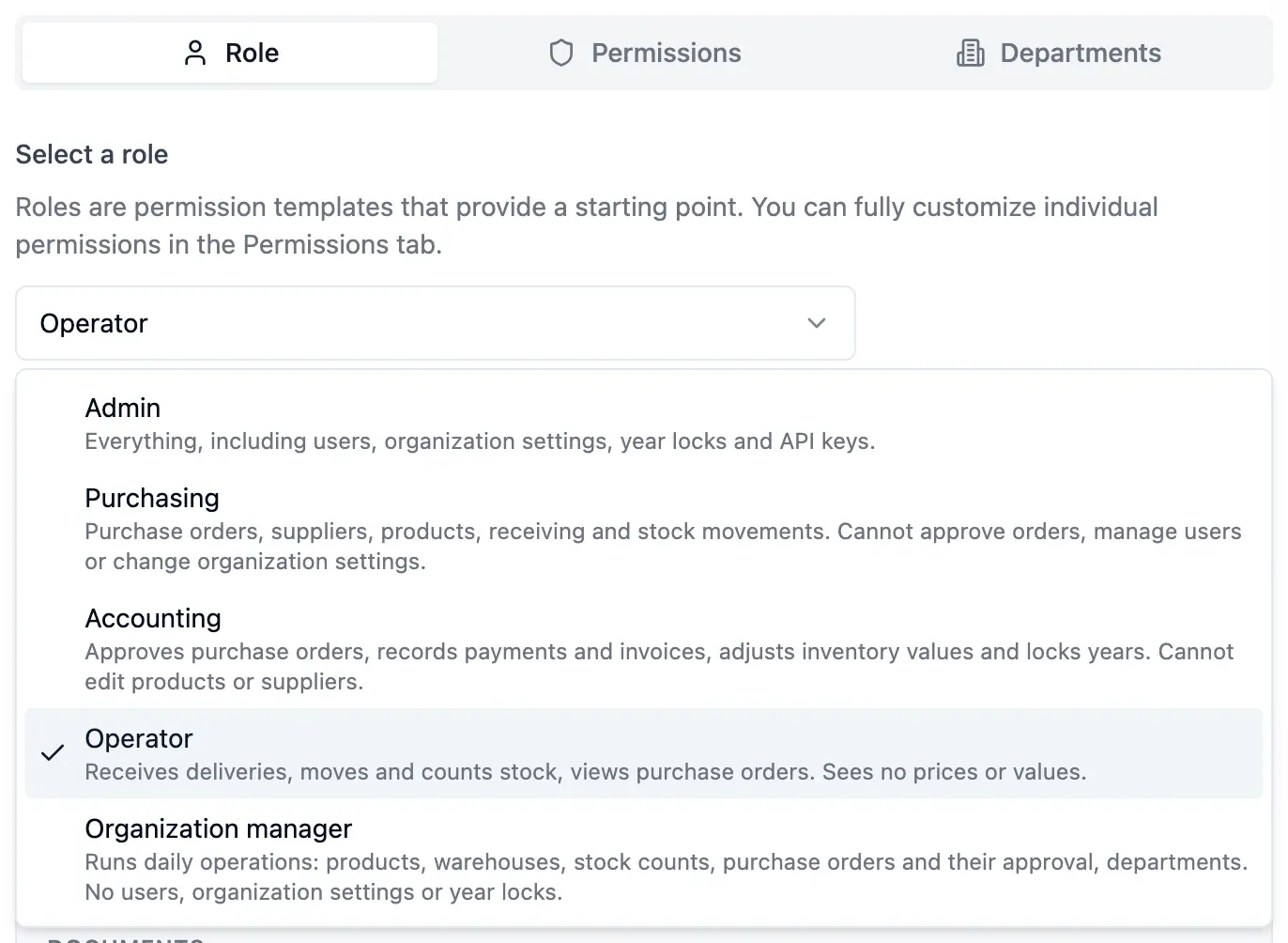
Start from a role
Pick one of the five ready-made roles: admin, purchasing, accounting, operator or organisation manager. The role sets the starting permissions.
- Compare roles and permissions in one list
- View your role and permissions in your profile
- About 40 permissions, one per action
Step 3 of 4
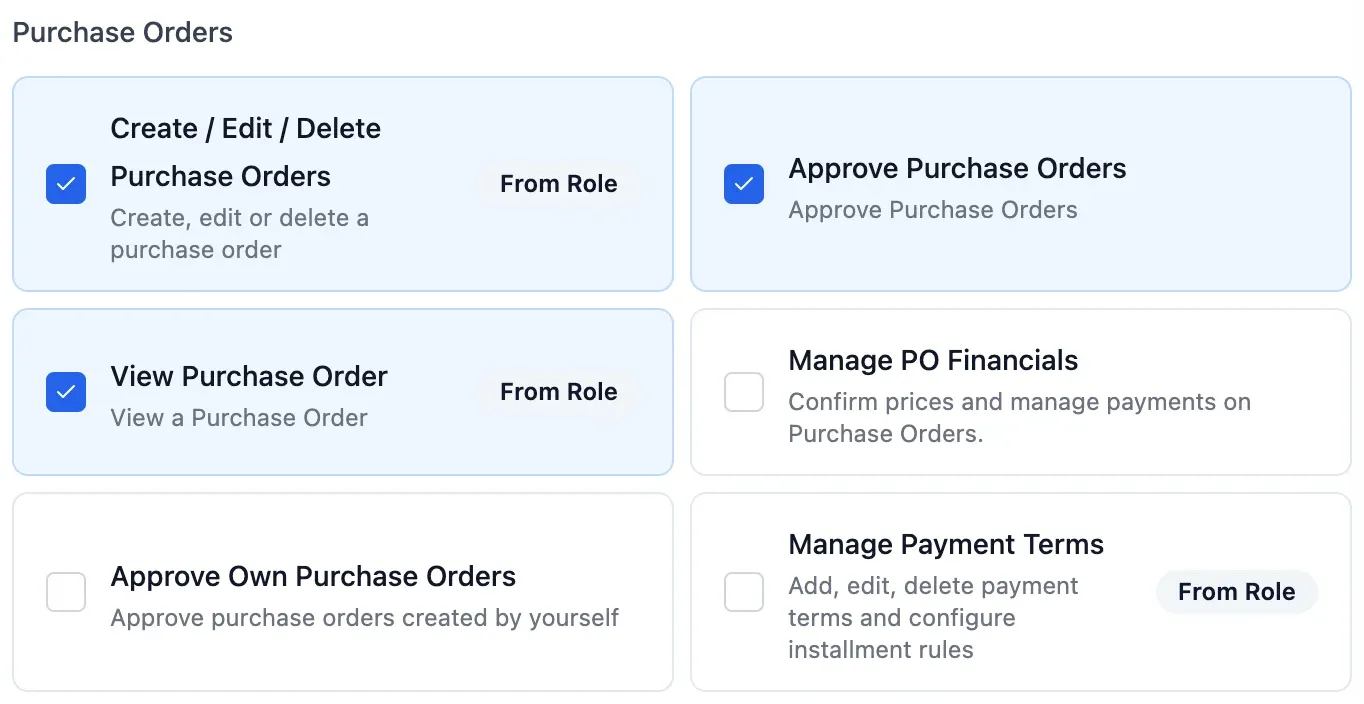
Fine-tune permissions
Add or remove single permissions for a person, such as approving orders or seeing values. For everyone else the role stays as it is.
- Quantities without values where needed
- Order creators, approvers and payers see prices
- Permissions can be set at the invitation

Step 4 of 4
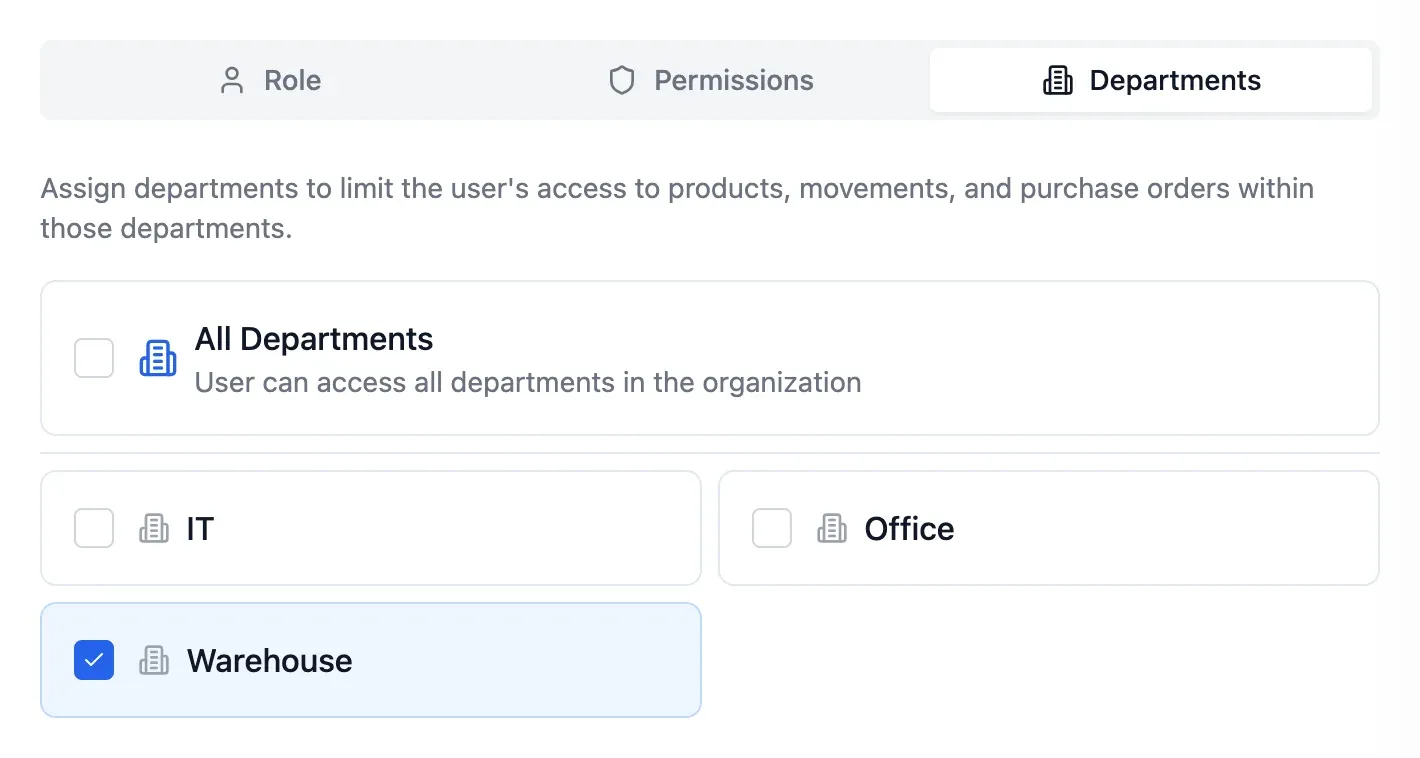
Limit by department
Select the departments a person works in, or leave them all open. Each department can have its own purchase order approver.
- Access limited to their departments' products and orders
- Set receivers and payers by department
- Assigned approvers get in-app alerts
In detail
About 40 permissions
Each permission covers a single action, from recording movements to approving orders.
Key decisions stay with the owner
Only the owner changes organisation settings, exports all data or hands the organisation to another member, who must accept.
Two-factor authentication
Protect each account with a code from an authenticator app. Sign in with email and password or with Google.
Compare roles first
A read-only list shows every role with its permissions, so you can pick the right one.
Permissions in plain view
Each user finds their role and every permission they hold in their profile.
Several organisations, one login
One account can belong to several organisations, each with its own data, plan and team.
Targeted notifications
Each person gets in-app alerts for approvals, shipments and payments assigned to them, and for mentions.
- Start free
Try it free
Free plan with 2 users, 100 products and 1 location. No credit card, no time limit.
Common questions
Another question?
Write to us from the contact page, or search the guides.
Can someone see quantities without values?
Yes. Without the permission to see values, they see quantities everywhere but no amounts. Anyone who creates, approves or pays an order still sees its prices.
What if no role fits?
Pick the closest role. You can then change single permissions, or assign them one by one at the invitation.
How do people sign in?
With email and password or with Google. Two-factor authentication adds a second layer of protection.
What happens when someone leaves?
Remove them and they lose access at once. Their movements and orders stay with their name, and the seat frees up.
How many people can I invite?
It depends on your plan, which sets the number of users and departments.
Try it free
No credit card or time limit. Upgrade when you need more capacity.