

Purchase orders
Keep purchasing accountable from approval to payment. Track deliveries, supplier invoices and the balance still to pay on each order.
Free plan with 2 users, 100 products and 1 location. No credit card, no time limit.

Why it matters
Approve before receiving
Keep an order from being received or marked paid before it is approved.
Approvals on final figures
Any edit to a pending order sends it back to draft for a new approval.
Cash planned ahead
See what falls due to each supplier, month by month, under the agreed payment terms.
How it works
One order follows each purchase from the first draft to the last payment, so buyers, approvers, the warehouse and accounts work from the same figures.
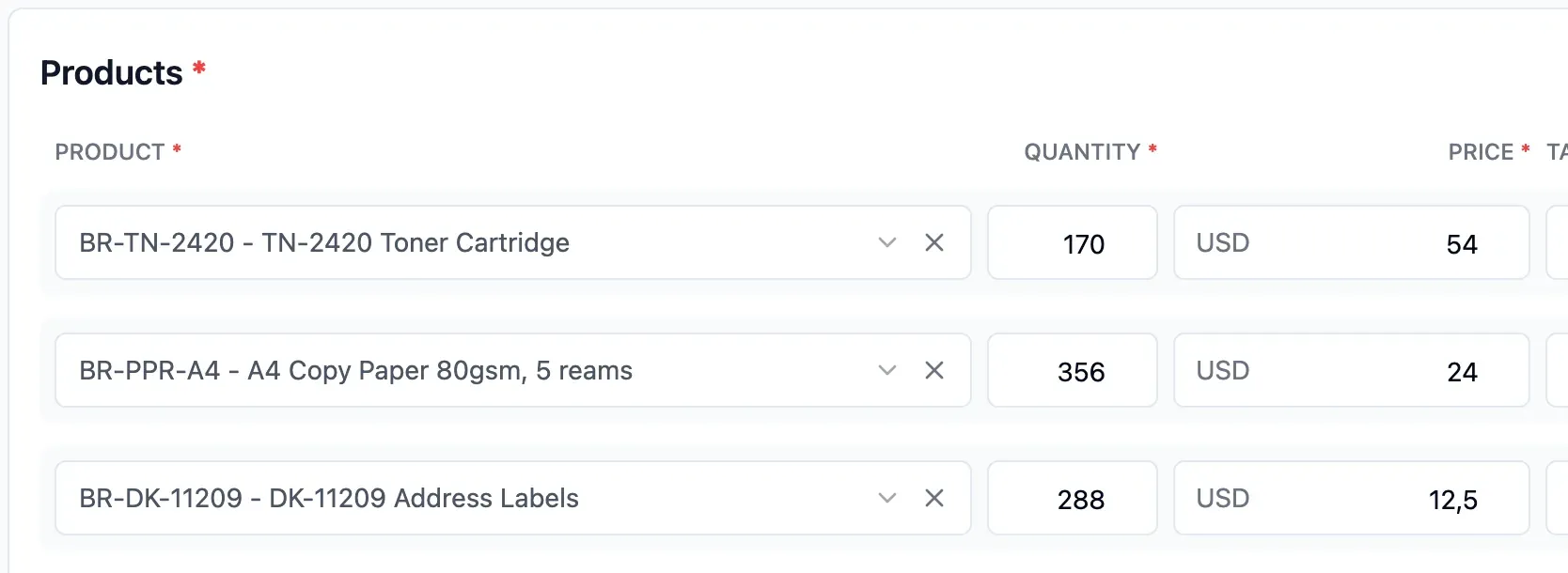
Step 1 of 4
Prepare the order
Start from the reorder list, with supplier, items and quantities already filled in. Or build the order from scratch, with prices, currency, delivery date and payment terms.
- Suggested quantities account for goods on order
- Build from scratch when needed
- Set prices, currency and payment terms

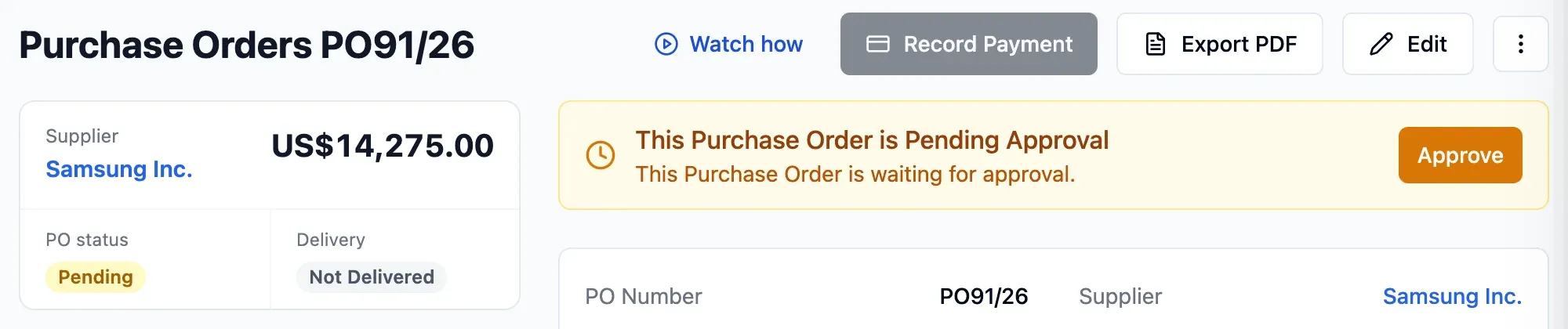
Step 2 of 4
Request approval
The approver is notified in the app and by email. Edit the order while it waits and it returns to draft for a new approval.
- Approvers set for each department
- Approval requests recorded with name and time
- Changes require another approval

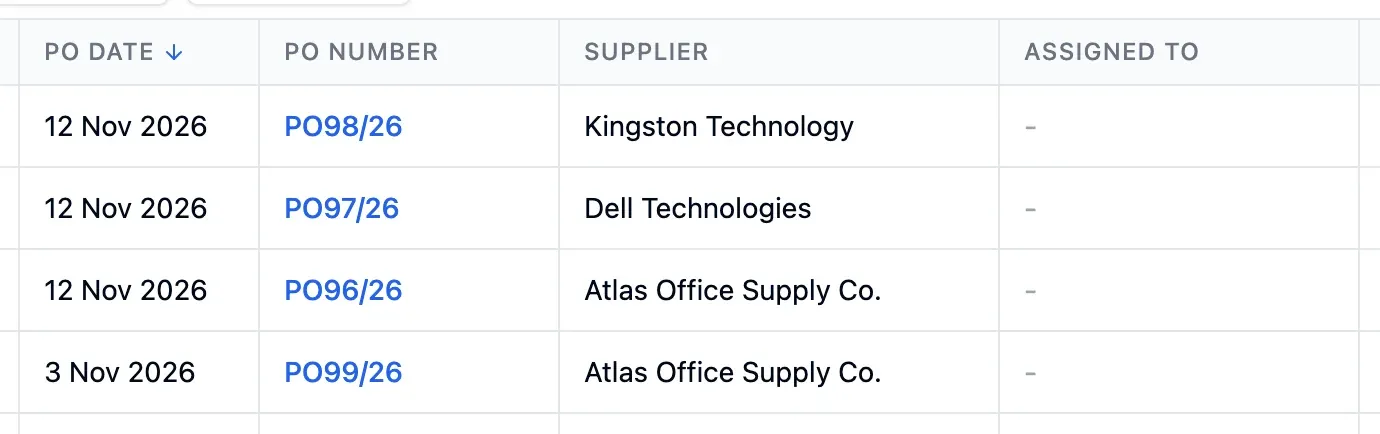
Step 3 of 4
Send and receive
Export the approved order as a PDF and send it to the supplier. Receive goods in Shipments, in parts if needed, and track what is still due.
- Export a PDF to send to the supplier
- Receive deliveries in parts
- See quantities outstanding on each line
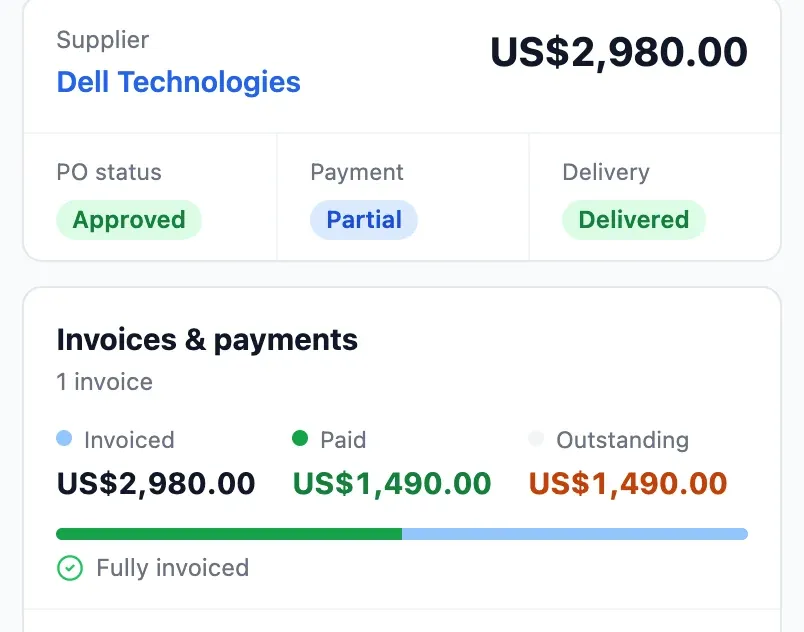
Step 4 of 4
Record invoices and payments
Record supplier invoices and payments on the order, including several invoices for one order. Add duties and freight when you know the amounts.
- Multiple invoices, capped at the order total
- Track the balance after each payment
- Duties and other landed costs spread by value
In detail
Approvers by department
Separate who approves any order from who approves only their own. For each department, set who approves, receives and pays.
Stock at true cost
Duties, freight, insurance and handling are spread across lines by value. What you owe the supplier stays the same.
Invoices within the order total
Record several invoices on one order. Any that would exceed its total are refused.
Instalment terms
Split terms into instalments, such as 30% on order and 70% at 30 days from invoice. Due dates are calculated automatically.
Separate firm and estimated amounts
The forecast separates amounts with a firm date from estimates, and approved orders from drafts.
Prices checked against invoices
Mark prices as confirmed once checked against the invoice, and filter the orders still to verify.
Many currencies, one value
Order in the supplier's currency. Stock and reports stay in yours, at the rate set on the order.
Approval history
Every request, approval and return to draft is recorded with name and time.
- Start free
Try it free
Free plan with 2 users, 100 products and 1 location. No credit card, no time limit.
Common questions
Another question?
Write to us from the contact page, or search the guides.
How do I send the order to the supplier?
Export it as a PDF and send it as you normally do, by email or otherwise.
What if the order changes after approval?
Reopen it: it returns to draft and needs approving again. Goods already received stay recorded.
How do I record a payment?
Pay through your bank, then record the payment on the order to keep the outstanding balance up to date. The payment forecast updates too.
Can I record an invoice before the goods arrive?
Yes. Record it when it arrives, and the payment forecast uses its date.
Can I order in a foreign currency?
Yes. Each order has its own currency and rate, and stock is valued in your currency.
Try it free
No credit card or time limit. Upgrade when you need more capacity.