

AI assistant
Ask about stock, suppliers and orders in your own words. Answers come back as text, a table or a chart, drawn from your real figures.
Free plan with 2 users, 100 products and 1 location. No credit card, no time limit.

Why it matters
No reports to build
One question replaces a hand-built report on stock, orders or suppliers.
Faster onboarding
New colleagues ask how to do something and find the answer in the guides.
Safe for the whole team
The assistant only reads and shows only the data each user is allowed to see.
How it works
The assistant only reads. It sees only what you can see and never changes your data.
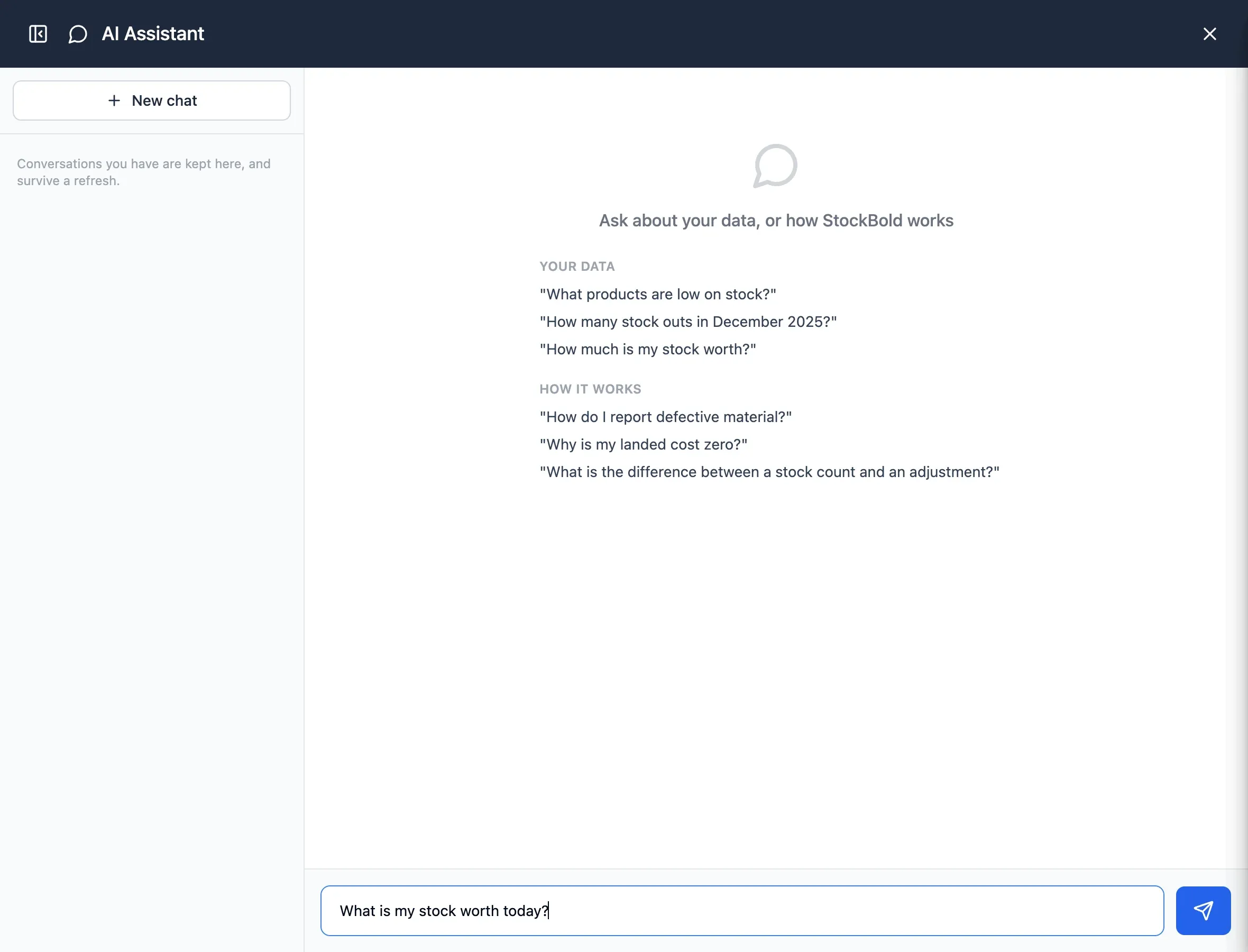
Step 1 of 4
Ask a question
Open the assistant and ask, for example, what your stock is worth today.
- How to use StockBold, too
- New colleagues can find how-to answers
- Available to people with its permission

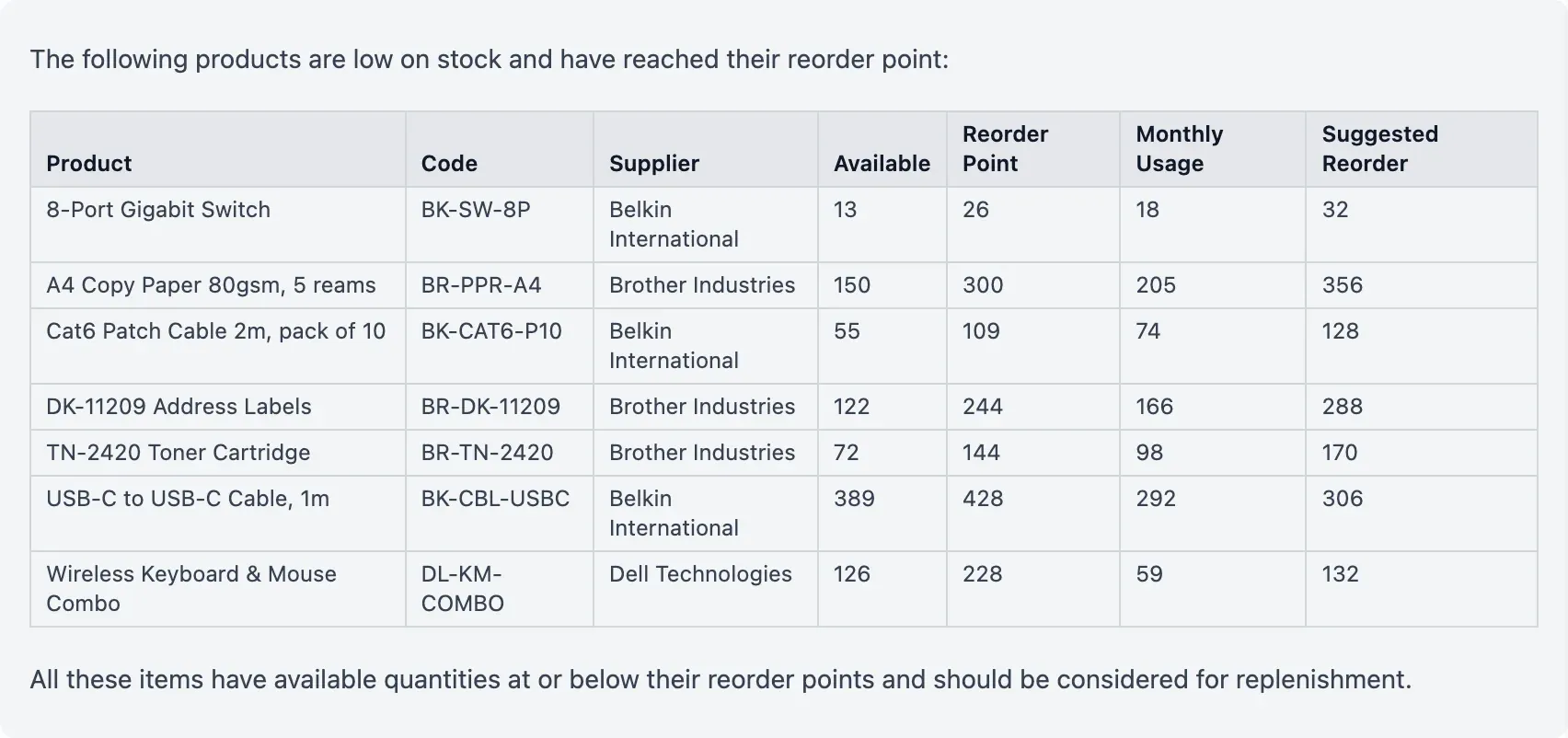
Step 2 of 4
Answers from your data
It looks through products, stock, suppliers, purchase orders, movements and the guides.
- Read only, never changes anything
- Hidden values stay hidden
- How-to answers come from the guides
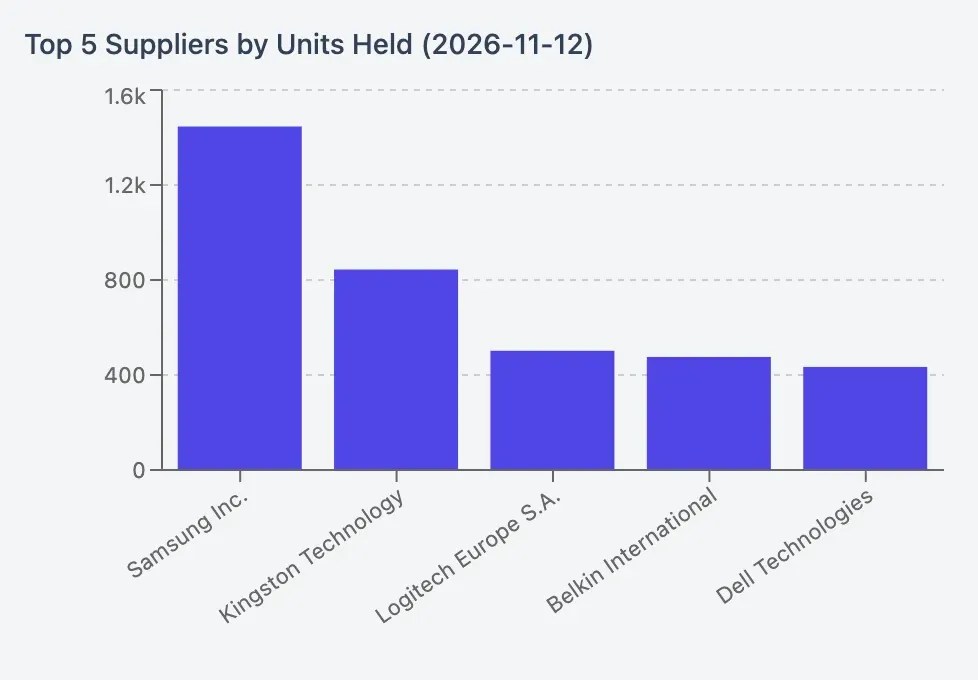
Step 3 of 4
Text, tables or charts
Answers arrive as text or a table. For trends and comparisons you get a chart.
- Charts only from your own figures
- Tables make figures easier to scan
- Spot trends and compare figures
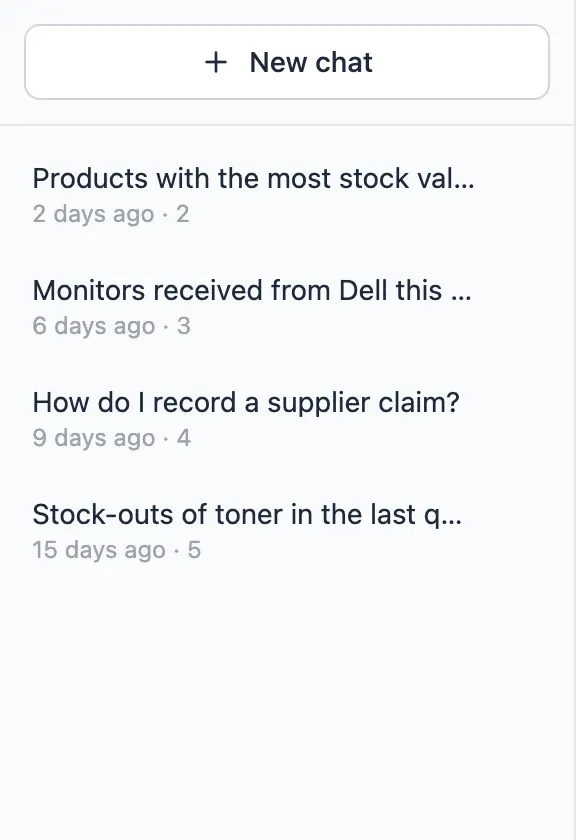
Step 4 of 4
Pick up later
Conversations are saved. You can reopen, rename or delete them.
- Conversations visible only to you
- Return to earlier answers
- US AI provider listed in the Data Processing Agreement
In detail
Read only
Orders, movements and settings are changed in the app alone.
Your permissions apply
Values and orders hidden from you in the app stay hidden in its answers.
Answers from the guides
Questions about using StockBold are answered from its guides.
Charts from real data
Every chart uses only figures taken from your data.
Private conversations
Each user sees only their own conversations.
Access by permission
The assistant is available only to people with its permission.
- Start free
Try it free
Free plan with 2 users, 100 products and 1 location. No credit card, no time limit.
Common questions
Another question?
Write to us from the contact page, or search the guides.
What kind of questions can I ask?
Questions about products, stock and value, suppliers, purchase orders and movements, such as which products moved most last quarter. It also explains how to use StockBold.
Can the assistant change my data?
No. It only reads. You record orders and movements in the app.
Can it show data I am not allowed to see?
No. If you cannot see stock value, the assistant cannot show it to you either.
Does it help new starters?
Yes. Ask how to do something, such as recording a delivery, and the answer comes from the StockBold guides.
Try it free
No credit card or time limit. Upgrade when you need more capacity.