

CSV import and API
Bring in products, suppliers and optional opening stock with checked CSV imports. Then use the API to record movements and read stock from your other software.
Free plan with 2 users, 100 products and 1 location. No credit card, no time limit.

Why it matters
Bring in your catalogue
Create products from a CSV file, with optional opening stock, instead of entering them one by one.
Check before you import
See ready rows, errors and warnings before you confirm an import.
Keep sales reflected in stock
Your shop or till can record each sale as a stock out without anyone entering it again.
How it works
Your data comes in once by file; from then on, your other software keeps stock moving without anyone retyping it.
Step 1 of 5
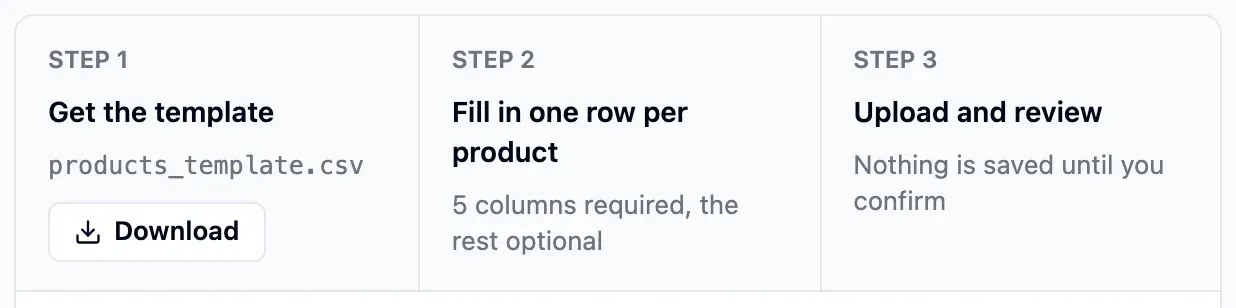
Download a CSV template
Choose the product or supplier template. Keep its column names when you prepare your file.
- Separate templates for products and suppliers
- Sample rows show the format
- Files up to 10 MB
Step 2 of 5
Fill in and upload
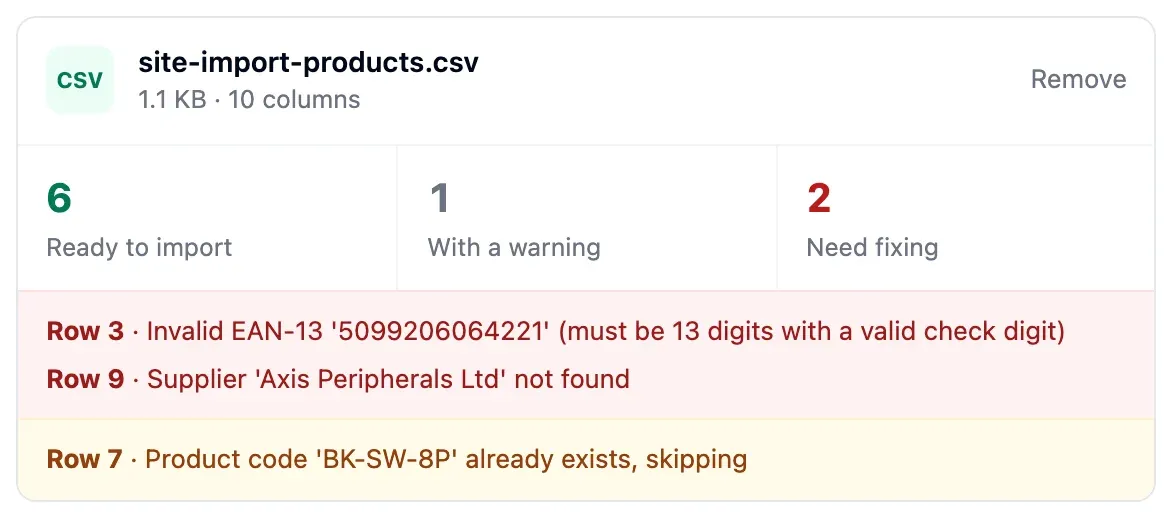
Upload your completed CSV to see ready rows, errors and warnings before anything is saved.
- One number format per file
- Unknown columns flagged as warnings
- EAN-13 and UPC-A digits checked
Step 3 of 5
Confirm the import
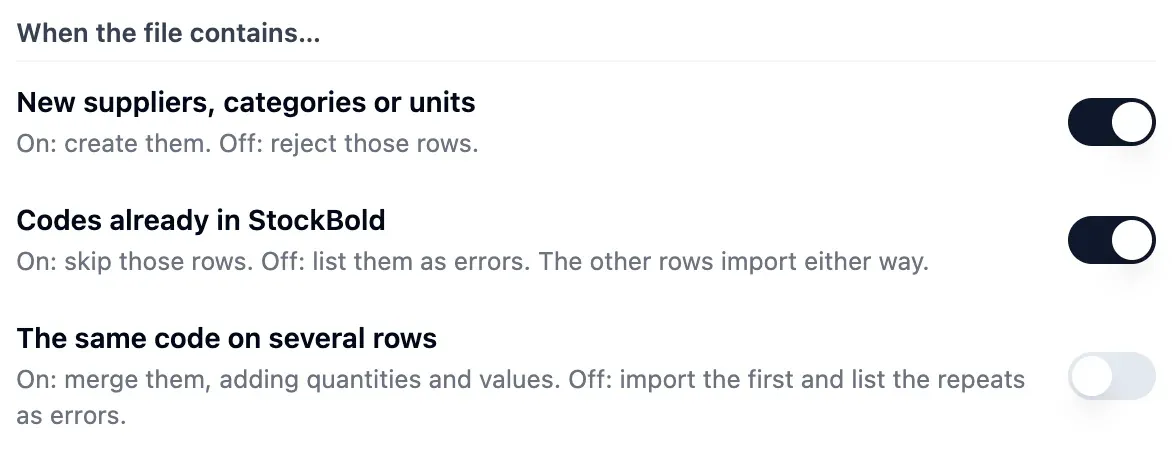
Decide whether to create missing suppliers, categories and units, and how to handle existing or repeated codes. Confirm to create the new records.
- Opening stock includes value, location and date
- Existing codes skipped or listed
- Repeated codes merged or first kept
Step 4 of 5
Create an API key
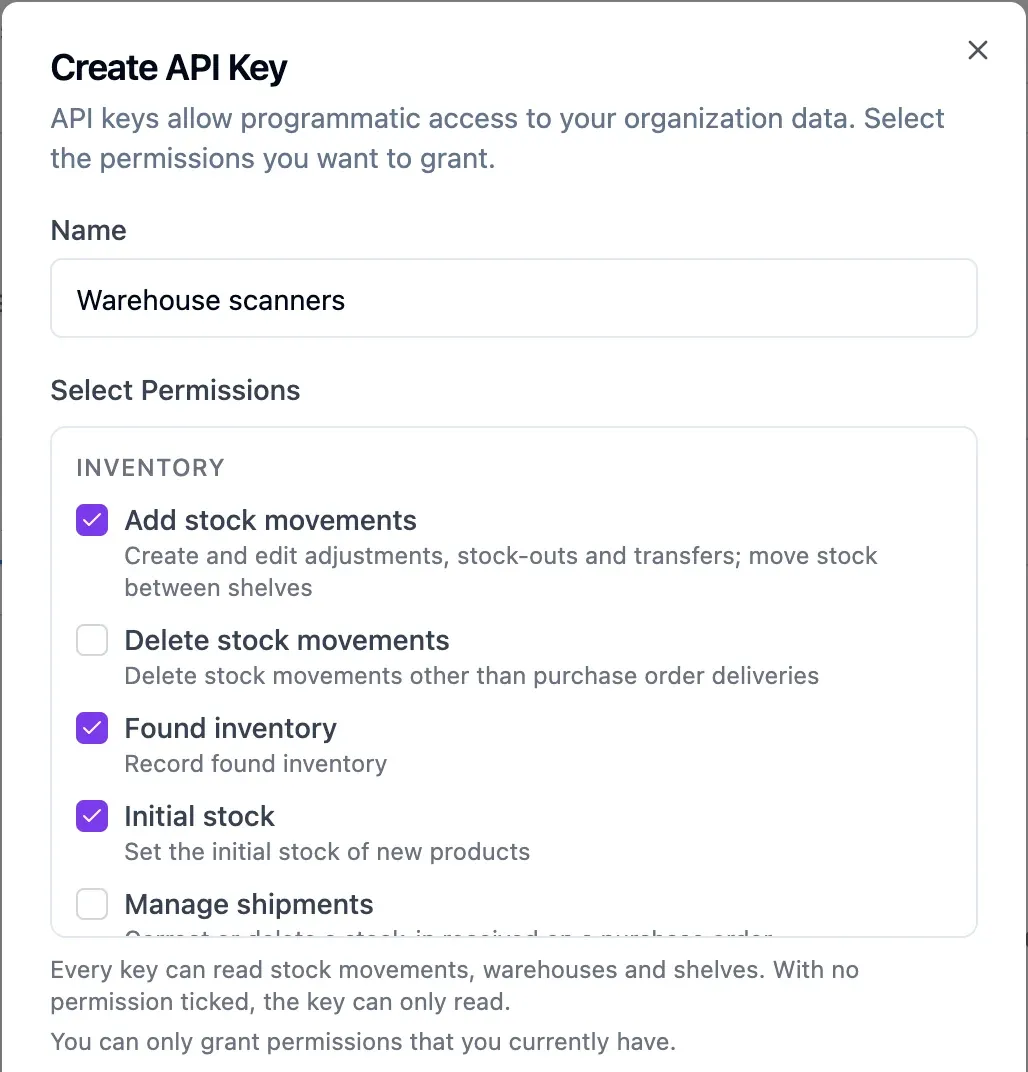
Create a key and tick the actions it may perform, or none for a read-only key. You can also set an expiry date and restrict the IP addresses allowed to use it.
- Limited to its creator's permissions
- Read only when nothing is ticked
- Every request logged with its key

Step 5 of 5
Connect your software
From your server, record sales as stock outs, transfer goods, move them between shelves and run stock counts. Read stock by location and movement history for reports.
- Stock outs refused below zero
- Product lookups by code or barcode
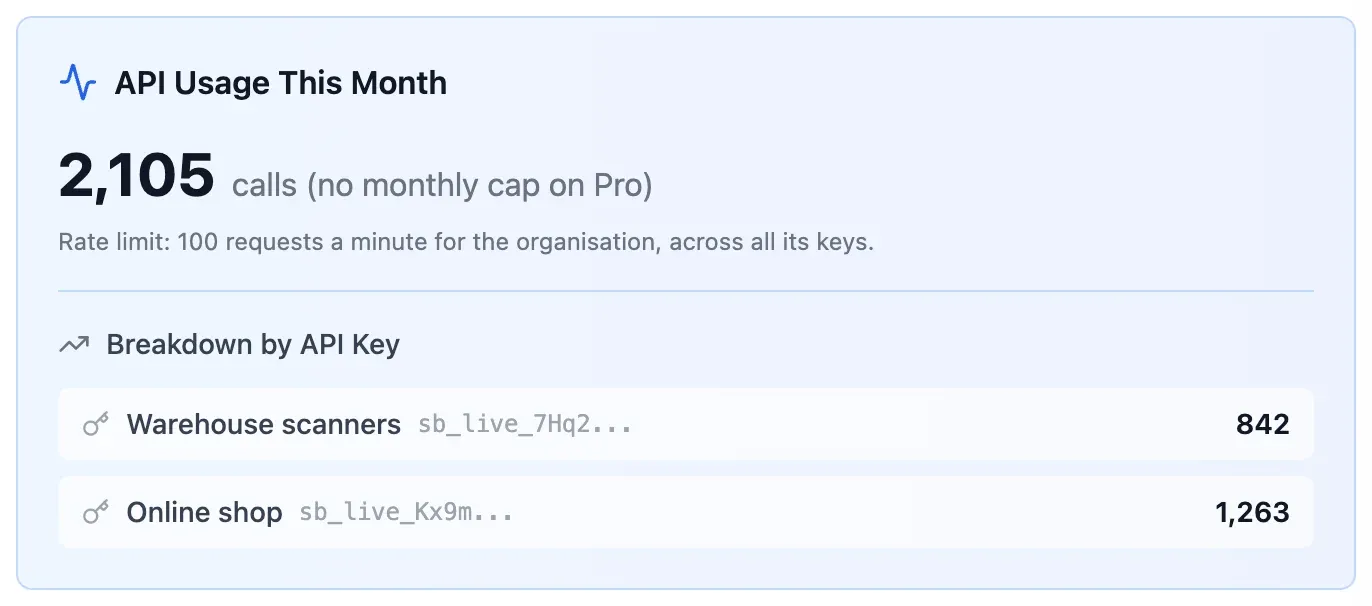
- 100 requests per minute per organisation
In detail
Your number format
Write 1234.56 or 1.234,56, as long as the whole file uses one style. Ambiguous numbers are flagged.
Create missing records
Choose whether an import creates missing suppliers, categories and units. Review the list before confirming.
Barcodes checked
EAN-13 and UPC-A codes with a wrong check digit are flagged before import.
Handle duplicate codes
Merge rows with the same code, adding their quantities and values, or keep the first row.
What the API records
Record stock outs, transfers, shelf moves, found inventory, opening stock and adjustments that correct earlier stock outs. Run stock counts through to approval, correct stock ins received on purchase orders, and edit or delete movements.
What the API reads
Read locations, product lookups, suppliers, categories, departments, stock per location, shelves and per-shelf quantities. Filter movement history, including purchase order stock ins and transfers.
Keys under control
A key cannot exceed its creator's permissions or see other departments. Tick its permissions, or none for a read-only key, set its expiry and allowed IPs, then regenerate or revoke it when needed.
Requests you can check
Check each request's method, endpoint, result, key and IP in the log. Logs are kept for 90 days.
- Start free
Try it free
Free plan with 2 users, 100 products and 1 location. No credit card, no time limit.
Common questions
Another question?
Write to us from the contact page, or search the guides.
Will my spreadsheet work?
Yes, if you save it as CSV with the template's column names. The check flags unknown columns and shows ready rows, errors and warnings before you confirm.
Can I import purchase orders or movement history?
No. CSV imports create products, with optional opening stock, and suppliers. They do not import purchase orders or movement history.
What can I build with the API?
Build an online shop or till that records sales as stock outs, a warehouse terminal that transfers goods, moves them between shelves or runs stock counts, or reports that read stock per location and movement history.
What does the API not do?
It does not receive deliveries or return stock values or costs. It does not create or edit products, suppliers or purchase orders, and it has no webhooks.
Where is the API documentation?
The documentation is in the app after you sign in, linked from the API settings.
Try it free
No credit card or time limit. Upgrade when you need more capacity.